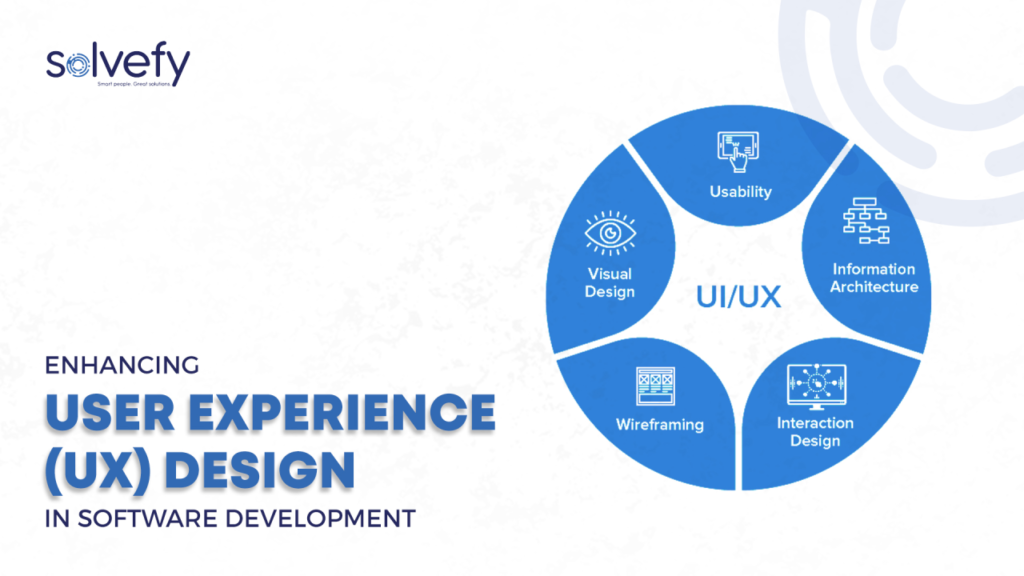

Introduction to User Experience Design Software
In the ever-evolving digital landscape, User Experience (UX) Design Software has become a cornerstone for businesses aiming to deliver exceptional digital experiences. UX design is not just about aesthetics; it’s about creating intuitive, seamless, and engaging interactions that elevate user satisfaction and drive business success. Modern companies rely on sophisticated UX design tools to streamline workflows, foster collaboration, and produce interfaces that resonate with end-users.
With the proliferation of mobile applications, web platforms, and SaaS products, choosing the right UX design software is critical. Businesses and designers need software that combines functionality, versatility, and efficiency while supporting innovation at every stage of the design process.
Key Features of UX Design Software
High-quality UX design software comes equipped with a broad spectrum of features tailored to enhance the design process. These features not only facilitate creativity but also ensure that designs are both user-friendly and business-effective.
1. Wireframing and Prototyping Tools
Wireframing is a fundamental stage in UX design, providing a visual blueprint of the interface. The best UX tools offer advanced wireframing and prototyping capabilities, enabling designers to create both low-fidelity and high-fidelity prototypes. Features to look for include:
- Drag-and-drop interface components
- Interactive click-through simulations
- Conditional logic for dynamic user flows
Prototyping ensures that stakeholders can visualize the end product before development, reducing costly revisions and enhancing alignment across teams.
2. Collaboration and Real-Time Feedback
In modern design ecosystems, collaboration is essential. Top UX software supports real-time teamwork, allowing designers, developers, and product managers to contribute simultaneously. Essential collaboration features include:
- Commenting and annotation directly on designs
- Version control for tracking changes
- Cloud-based sharing for remote accessibility
These features enhance productivity, minimize miscommunication, and ensure faster iteration cycles.
3. User Testing and Analytics Integration
To optimize user experiences, design software often integrates user testing and analytics features. Designers can collect valuable insights by simulating user interactions and gathering behavioral data. Key functionalities include:
- Heatmaps and session recordings
- A/B testing and feedback collection
- Integration with analytics platforms like Google Analytics or Mixpanel
This data-driven approach enables designers to make informed decisions, ultimately improving usability and conversion rates.
4. Design Systems and Component Libraries
Consistency is critical in UX design. Leading UX software provides design systems and reusable component libraries, which streamline the creation of interfaces while maintaining brand consistency. Features typically include:
- Pre-built UI components
- Customizable color palettes and typography
- Shared libraries across teams for uniformity
By leveraging these tools, designers can ensure cohesive experiences across multiple platforms.
5. Responsive and Adaptive Design Capabilities
With users accessing digital platforms across various devices, responsive and adaptive design features are indispensable. UX software that supports device-specific previews, flexible grid systems, and adaptive layouts ensures that designs perform optimally on desktops, tablets, and mobile devices.
Benefits of Using UX Design Software
Adopting the right UX design software offers tangible benefits for businesses, designers, and end-users alike. Understanding these benefits is key to selecting the most effective tool for your workflow.
1. Improved User Satisfaction
High-quality UX software facilitates intuitive, engaging interfaces. Better UX leads to higher user satisfaction, increased retention rates, and stronger brand loyalty. Users are more likely to interact with platforms that feel natural and responsive.
2. Enhanced Productivity and Efficiency
UX design tools streamline workflows by integrating multiple stages of design into a single platform. Designers can reduce redundant tasks, accelerate prototyping, and implement feedback faster, leading to quicker time-to-market for digital products.
3. Cost Savings and Risk Reduction
Early visualization through wireframes and prototypes minimizes the risk of design errors. By identifying usability issues before development, companies save significant costs associated with post-launch revisions and bug fixes.
4. Collaboration Across Teams
Modern UX software promotes collaboration between designers, developers, product managers, and stakeholders. This cross-functional synergy ensures alignment and facilitates faster decision-making, producing a more polished final product.
5. Data-Driven Decision Making
Integration with analytics tools allows designers to base decisions on real user behavior rather than assumptions. Data-driven design improves conversion rates, usability, and overall digital strategy effectiveness.
Top UX Design Software Tools in 2025
Choosing the right UX tool depends on your project requirements, team size, and desired workflow. Below are some of the top-performing UX design software solutions widely used in 2025.
1. Figma
Figma is a cloud-based collaborative design tool renowned for its real-time teamwork capabilities. Key highlights:
- Intuitive vector-based interface
- Cross-platform compatibility
- Extensive plugin ecosystem for enhanced functionality
Figma’s ability to support remote teams makes it a leading choice for modern design workflows.
2. Adobe XD
Adobe XD offers a comprehensive suite of tools for wireframing, prototyping, and animation. Features include:
- Seamless integration with Adobe Creative Cloud
- Advanced responsive design capabilities
- Robust plugin support for workflow automation
It is particularly favored by designers who require extensive graphic and motion design integration.
3. Sketch
Sketch remains a popular choice for macOS users, providing powerful vector editing and prototyping tools. Benefits include:
- Strong community and third-party plugins
- Symbols and reusable components for design consistency
- Integration with collaboration platforms like Abstract and InVision
4. InVision
InVision excels in prototyping and user testing, with features like:
- Interactive clickable prototypes
- User testing and feedback collection
- Real-time collaboration tools
It’s ideal for teams focused on rapid prototyping and stakeholder presentations.
5. Axure RP
Axure RP is a robust UX tool known for complex wireframing and advanced prototyping, offering:
- Conditional logic for interactive prototypes
- Extensive widget libraries
- Integration with documentation and project management tools
Axure RP is preferred for enterprise-level projects requiring intricate user flows.
Choosing the Right UX Design Software
Selecting the appropriate UX software requires consideration of multiple factors:
- Project Scope: For simple projects, Figma or Sketch may suffice; complex projects may benefit from Axure RP.
- Team Collaboration Needs: Cloud-based tools like Figma are ideal for remote teams.
- Budget Constraints: Free or low-cost tools may work for startups, while enterprise software is better suited for larger organizations.
- Integration Requirements: Ensure compatibility with your development and analytics tools.
By evaluating these factors, teams can select software that aligns with workflow requirements, maximizes productivity, and delivers superior user experiences.
Conclusion
User Experience Design Software is no longer optional; it is a strategic investment for businesses striving to deliver exceptional digital experiences. By leveraging the right tools, teams can streamline workflows, enhance collaboration, reduce costs, and create interfaces that truly resonate with users. Tools like Figma, Adobe XD, Sketch, InVision, and Axure RP provide the versatility and advanced features required to stay ahead in a competitive market.
The ultimate goal is to ensure that every user interaction is smooth, intuitive, and impactful, resulting in increased satisfaction, loyalty, and business growth. With the insights and recommendations provided in this guide, design teams are equipped to make informed decisions, select the best tools, and achieve UX excellence in every digital project.