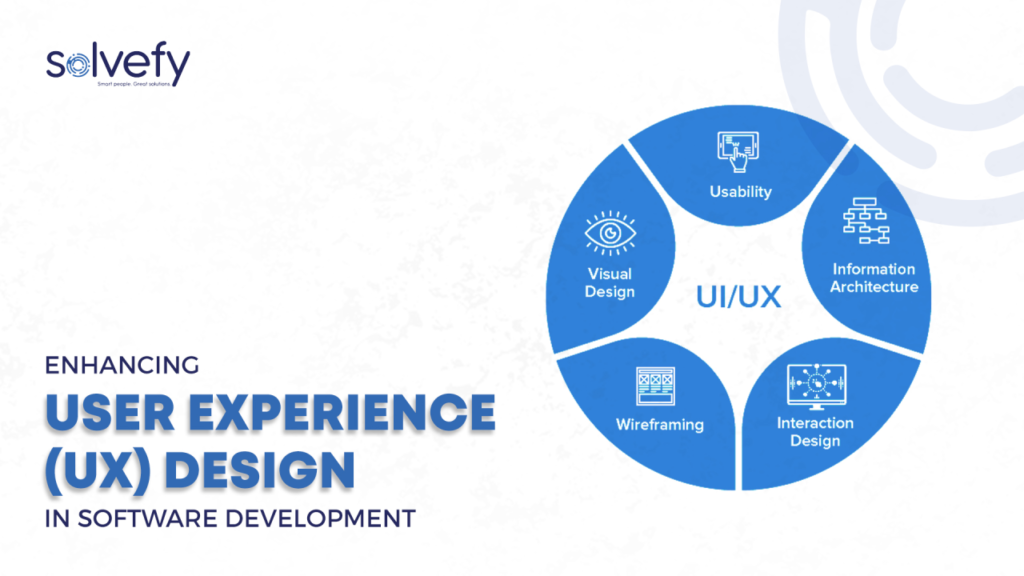

In today’s highly competitive digital ecosystem, delivering seamless and intuitive user experiences is no longer optional — it’s critical. Businesses that prioritize User Experience (UX) Design Software outperform their competitors by creating products that are not only functional but also enjoyable and easy to use. In this article, we dive deep into the world of UX design tools, examining their key features, top platforms, and how they contribute to creating superior user interfaces and interactions.
What is User Experience Design Software?
User Experience (UX) Design Software refers to digital tools that help UX designers craft the structure, flow, look, and behavior of digital products. These tools enable teams to:
- Design wireframes and prototypes
- Test user interactions
- Collaborate across design and development teams
- Collect and analyze user feedback
Whether you’re building a mobile app, a website, or an enterprise SaaS platform, UX design software is the backbone of efficient and user-centered product creation.
Key Features of UX Design Software
To evaluate the best user experience design tools, it’s essential to understand the most critical features that define their functionality and effectiveness.
1. Wireframing and Prototyping
Wireframes act as the blueprint of a digital product. UX design software must offer robust wireframing capabilities, enabling quick sketching of layouts. Prototyping allows designers to simulate interactions, making it easier to test and validate ideas early.
2. Collaboration and Teamwork
The ability for real-time collaboration is fundamental. Top UX tools allow designers, developers, and stakeholders to communicate, share feedback, and iterate in a centralized workspace.
3. User Testing and Feedback
Effective UX design is driven by user insights. The software should integrate usability testing tools or third-party feedback mechanisms to help teams test designs before development.
4. Responsive Design
Creating experiences for various screen sizes is non-negotiable. The best tools allow for adaptive/responsive layout creation, so designs look great across devices.
5. Developer Handoff
Once the design is finalized, seamless handoff to developers ensures that all specs, assets, and design components are easily transferable without friction.
Top UX Design Software in 2025
1. Figma: Real-Time Collaboration Powerhouse
Figma is the industry leader in collaborative design. With a cloud-based architecture, Figma enables design teams to work in real time, making it the ideal choice for remote and distributed teams.
Key Features:
- Intuitive prototyping
- Design system management
- Commenting and collaboration
- API access for plugin integration
Best For: Product teams that need to work together across time zones and roles.
2. Adobe XD: Unified Design and Prototyping
Adobe XD offers a sleek interface with powerful vector design and prototyping tools. With Adobe’s ecosystem, designers can integrate Photoshop and Illustrator assets seamlessly.
Key Features:
- Auto-animate transitions
- Component reuse
- Voice prototyping
- Developer sharing tools
Best For: Designers already working within the Adobe Creative Cloud ecosystem.
3. Sketch: The Vector-Based Design Pioneer
Although macOS-exclusive, Sketch has long been a favorite among UI/UX designers due to its extensible plugin ecosystem and focus on interface design.
Key Features:
- Lightweight vector editing
- Shared libraries and symbols
- Plugin-rich environment
- Cloud collaboration
Best For: Freelancers or agencies focused heavily on Apple platforms.
4. Axure RP: Complex Prototyping for Enterprise Solutions
Axure RP stands out for allowing the design of highly functional, logic-driven prototypes. It’s favored by UX professionals working on enterprise-level apps.
Key Features:
- Conditional logic and variables
- Dynamic content integration
- HTML output for usability testing
- Built-in documentation tools
Best For: Designers creating complex interactions and data-driven interfaces.
5. InVision: Prototyping and Workflow Integration
InVision offers strong prototyping tools and workflow management features. It allows teams to collaborate on design projects, track progress, and manage feedback.
Key Features:
- Clickable prototyping
- User flows and animations
- Comment threads and version history
- Freehand brainstorming
Best For: Teams that need a centralized workflow with multiple stakeholder inputs.
Choosing the Right UX Design Software
When selecting a UX design platform, consider the following factors:
- Team Size and Workflow: Cloud-based tools like Figma or InVision are ideal for large or remote teams.
- Design Complexity: Choose Axure for logic-heavy interfaces, while Sketch or Adobe XD works best for visual design.
- Budget Constraints: Open-source or freemium tools might be ideal for startups.
- Integration Needs: Make sure the tool integrates with Slack, Jira, Notion, or GitHub, depending on your workflow.
Benefits of Investing in Quality UX Design Software
1. Enhanced Productivity
A good UX tool reduces the time from concept to prototype. Shared libraries, templates, and collaboration features mean faster delivery and iteration.
2. Increased User Satisfaction
Better UX translates to improved retention, satisfaction, and conversion rates. Good tools help teams build experiences that users enjoy and return to.
3. Reduced Development Cost
Detecting usability issues during the design phase saves significant development rework and support costs down the road.
4. Scalability
Whether you’re scaling a product or team, professional UX design tools allow for systematic design growth using design systems and component libraries.
Emerging Trends in UX Design Software
1. AI-Powered Design Assistance
Tools like Uizard and Galileo AI are transforming the field by enabling automated layout generation, content suggestions, and accessibility checks using machine learning.
2. Voice and AR Prototyping
Modern UX design isn’t limited to screens. Platforms are now supporting voice UI, gesture control, and augmented reality experiences, keeping pace with wearables and smart devices.
3. Accessibility-First Design
Inclusive design is gaining traction, with software integrating WCAG compliance checkers, color-blind simulators, and screen reader support.
4. No-Code/Low-Code Integration
Designers can now publish functional prototypes directly without developer input using no-code tools, bridging the gap between design and production.
Conclusion: Future-Proofing UX with the Right Software
Investing in user experience design software is investing in your brand’s future. The right tools empower your team to design faster, test smarter, and deliver exceptional digital experiences. With platforms like Figma, Adobe XD, Sketch, Axure, and InVision, your UX team can innovate, collaborate, and scale like never before.